
Guide 01 · 3 min · DroneXR Android
Try the Demo
Experience DroneXR in VR with a simulated flight — no drone, no controller, no purchase.
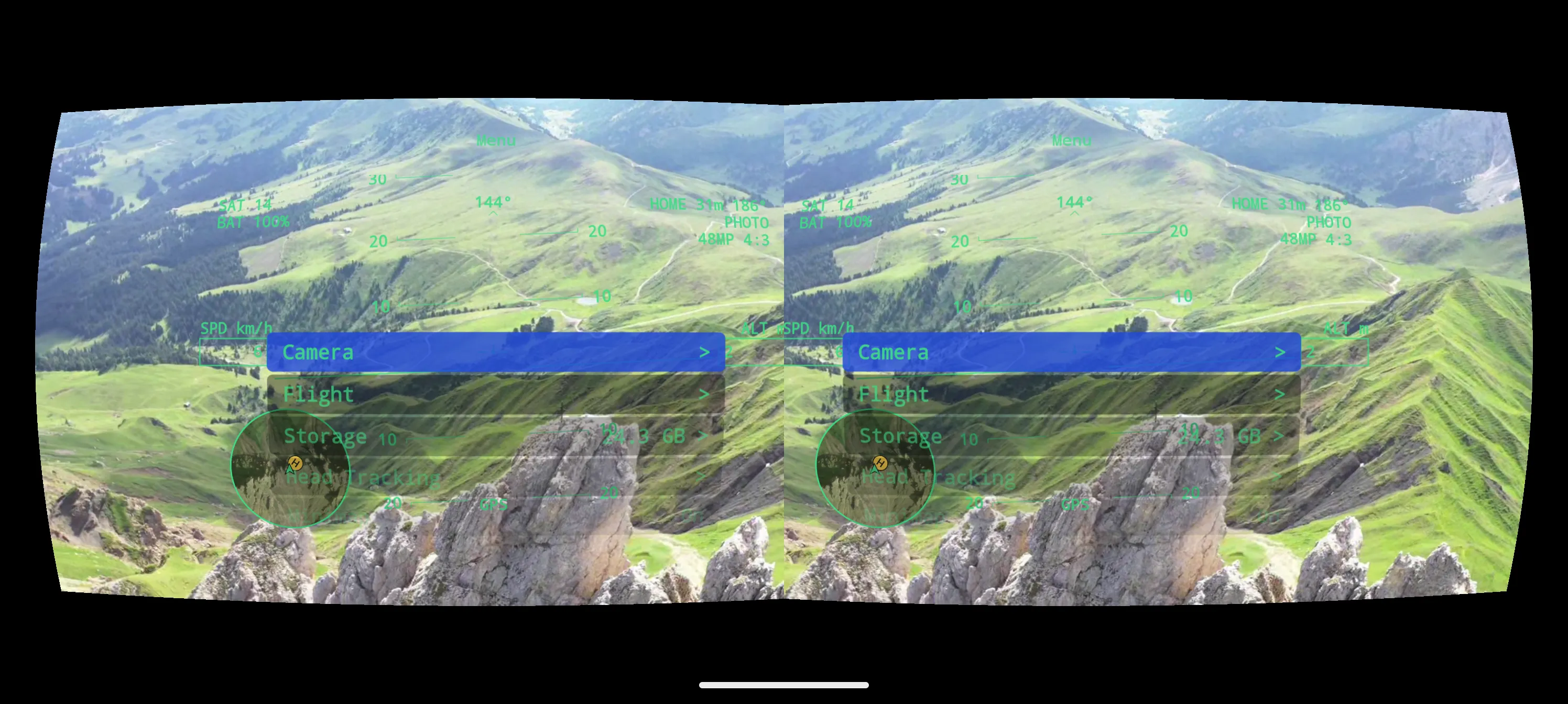
The Demo flies a recorded flight over the Dolomites with simulated telemetry, so you can see exactly what DroneXR looks like in the headset before you take your own drone up. It is always free.
Start the Demo
- Open DroneXR. You don’t need to connect anything.
- On the main screen, tap View demo. The flight starts straight away.
- Hold your phone in landscape. You’ll see the video twice — once for each eye — with the head-up display (HUD) on top.
- Tilt your phone to switch between stereo view (for the headset) and mono view (for looking at the phone directly).
- Slide the phone into your headset and look around.
Try the in-flight menu
In a real flight you drive the menu with your controller’s sticks. In the Demo there is no controller, so the menu reacts to taps on the screen instead: tap to open it, then tap an entry to select it. Browse the Camera, Flight and Head Tracking sections — they look just like they will with your drone, though in the Demo nothing is sent to an aircraft.