
Guide 05 · 4 min · DroneXR Android
The in-flight menu
Change camera, flight and head-tracking settings mid-air, without taking the headset off.
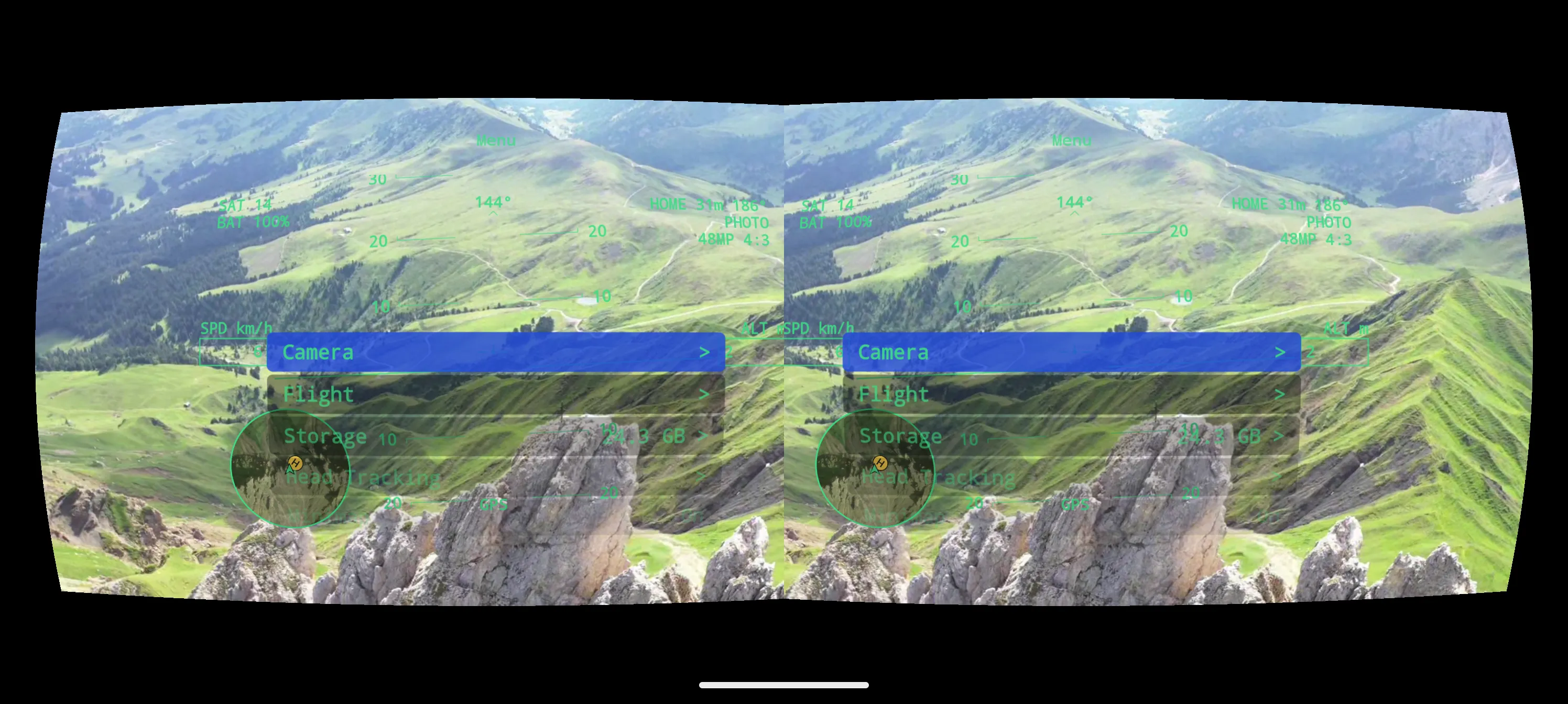
The in-flight menu floats in front of you inside the headset. You open and steer it with the controller, so you never have to take the phone out mid-flight.
Use the menu
- Press the controller’s customisable button (labelled C1 or Fn, depending on your controller) to open the menu.
- Move the right stick up and down to highlight an entry.
- Push the right stick to the right to open a section or select a value, and to the left to go back.
- Press the button again to close the menu.
What’s in it
- Camera — Mode (Photo, Video, Slow-Mo and the photo variants your drone supports), the settings that belong to that Mode, and the Capture action: Take Photo, or Start / Stop Recording. The menu only offers values your drone actually supports.
- Flight — flight-related settings for your drone.
- Storage — where photos and videos are saved, and how much space is left.
- Head Tracking — switch it on per axis and choose a profile. See Head tracking.
- Share — queue a still or a short clip of the live view to share later. See Photos, video & sharing.